XoT-WebAccess
Access through the browser
XoT-WebAccess is for situations where installing software is not possible. Think of contractors, bring-your-own-device users or locked-down workstations.
How it works
A temporary desktop for every session
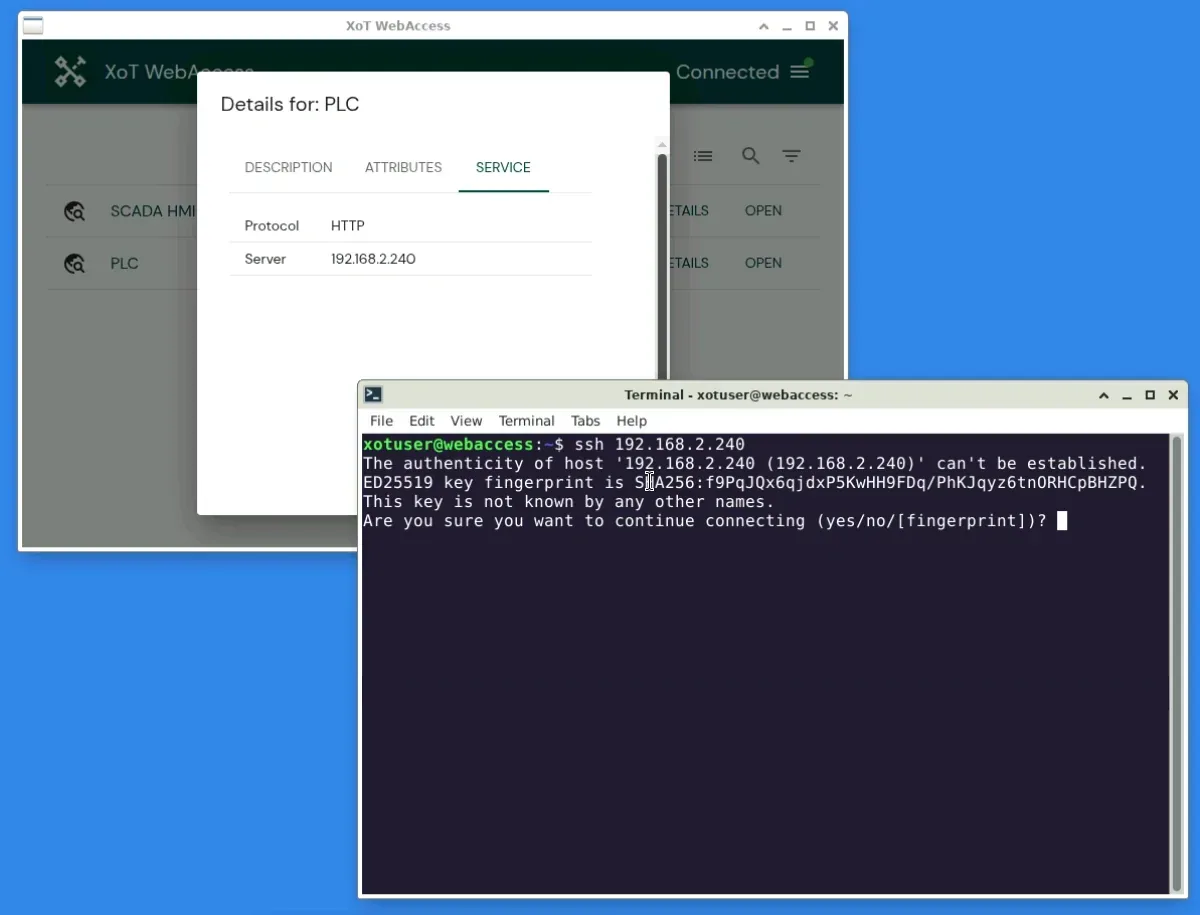
- The user logs in through a web browser.
- A desktop is created in an isolated environment, just for this user.
- The desktop runs the XoT-Desktop Client with the user's policies.
- The user works with built-in tools such as a browser, SSH and remote desktop.
- The session is destroyed when the user logs out. No data is left behind.
Xertified's XoT-WebAccess supports SSH, HTTP and HTTPS, and RDP. More services can be added if needed.
Use cases
When XoT-WebAccess fits
Temporary access
Vendors and contractors who need access for a short period.
Audits
Auditors who need to look at a system without installing anything.
Own devices
People working from their own computer that the company does not manage.
Instead of a jump server
Nobody connects directly to the systems. Every user gets their own isolated desktop.
Common questions
Does the user need to install anything?
No. A web browser is enough.
Do the same policies apply as in the client?
Yes. The desktop runs the XoT-Desktop Client, and the policies in the XMS apply as usual.
Is anything kept after logout?
No. The session is destroyed when the user logs out. No data is left behind.
Give a vendor access today
The vendor only needs a web browser and a policy in the XMS.